Clicking through a cloud console to create resources works fine until you have to do it twice. Then you forget a setting, or build it slightly differently, or someone asks you to tear it all down and stand it back up in another region. Infrastructure as Code fixes this by letting you describe your infrastructure in files you can version, review, and reuse. Terraform is the most widely used tool for the job, and it is the foundation of the HashiCorp Certified Terraform Associate (004) exam.
This guide lays out the path we built into CloudLearn's first four Terraform labs. Each section teaches one idea, then points you to the hands-on lab where you practice it in a real AWS or Azure environment. Do them in order and you will go from your first config file to writing dynamic, production-style Terraform.
The Mental Model: Declarative and Repeatable
Before any commands, get this idea clear, because everything else builds on it.
Terraform is declarative. You do not write step-by-step instructions like "create a bucket, then tag it, then check if it exists." Instead you describe the end state you want, and Terraform figures out how to get there. The same configuration always produces the same result, whether you are starting from nothing or updating something that already exists.
The everyday workflow is three commands:
terraform init     # download the provider plugins your config needs
terraform plan     # preview exactly what will change, before anything happens
terraform apply    # make it real
The plan is your safety net
That plan step is the safety net you never had with the console. It shows you what will be created, changed, or destroyed before a single resource moves. Reading a plan correctly is a skill the exam tests and a habit that saves real environments.
Step 1: Write Your First Terraform
Everything starts with one file written in HashiCorp Configuration Language (HCL). You declare a provider (the plugin that talks to AWS, Azure, or another platform), then declare a resource you want, then run the init, plan, apply cycle and watch it appear.
The classic first resource is an S3 bucket because it deploys in seconds and has nothing else to depend on. You write a short block of HCL, run terraform init to pull the AWS provider, terraform plan to see the single resource that will be created, and terraform apply to create it for real.
Practice this yourself by writing your first HCL file and deploying an S3 bucket on AWS, no prior Terraform experience needed. You can open the Introduction to IaC with Terraform lab on cloudlearn.io.
Step 2: Providers and Version Locking
Once you can deploy a resource, the next thing to understand is where the provider actually comes from, and why pinning its version matters.
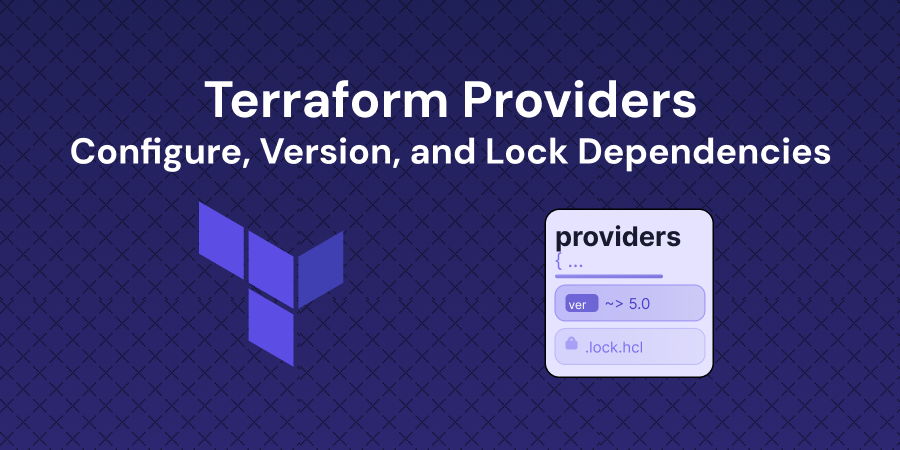
A provider is a plugin Terraform downloads to talk to a specific platform. You declare which ones you need, and which versions, in a required_providers block. Version constraints use a small set of operators:
= 5.40.0means exactly that version>= 5.0means that version or newer~> 5.40means 5.40 and later 5.x patches, but not 6.0
When you run terraform init, Terraform records the exact version it picked, plus security checksums, in a file called .terraform.lock.hcl. Commit that lock file, and everyone on your team, plus your CI pipeline, uses identical provider binaries. Without it, two people running the same config can quietly get different results.
Version mismatches are where reproducibility breaks
"Works on my machine" usually comes down to mismatched versions. The lock file is how Terraform makes infrastructure reproducible, and the exam expects you to understand it.
Practice this yourself by configuring version constraints, reading the lock file, and safely upgrading a provider with terraform init -upgrade. You can open the Terraform Providers lab on cloudlearn.io.
Step 3: State, the Thing That Makes It All Work
This is the concept that separates people who use Terraform from people who understand it.
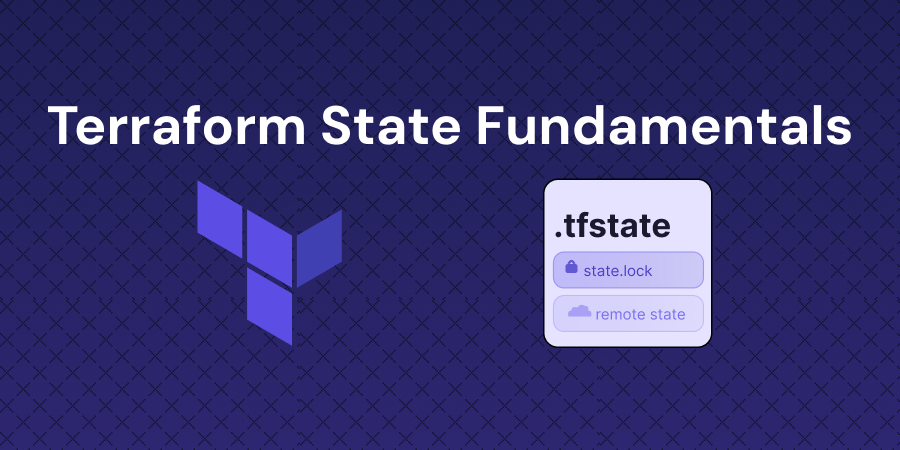
Terraform keeps a record of every resource it manages in a file called terraform.tfstate. This state file is the bridge between your configuration and the real infrastructure. It is how Terraform knows which resources it created, what their current settings are, and what needs to change on the next run. Without state, Terraform would have no memory.
You inspect state with a few commands:
terraform state list    # list every resource Terraform is tracking
terraform show          # show the full current state in readable form
Two things surprise beginners. First, if you change a resource by hand in the console, the next terraform plan notices the difference. That is called drift detection, and it comes straight out of comparing state to reality. Second, the state file stores sensitive values like access keys in plain text, so it has to be treated as a secret.
Most confusing plans trace back to state
Most confusing Terraform behavior, from unexpected plans to "why is it trying to delete that," traces back to state. Once state clicks, Terraform stops feeling unpredictable.
Practice this yourself by deploying Azure resources, opening the state file, running the state commands, and watching drift detection work. You can open the Terraform State Fundamentals lab on cloudlearn.io.
Step 4: Functions and Expressions
The first three labs get you running. This one makes your configurations dynamic instead of hardcoded.
Terraform has a large library of built-in functions for shaping data: building names with format and join, merging tag maps with merge and lookup, calculating network ranges with cidrsubnet, and generating config files with templatefile. The best way to learn them is the terraform console, an interactive prompt where you can test any expression without touching your infrastructure.
You will also meet try and can, which let your configuration handle missing or optional values gracefully instead of failing outright.
Why this matters for the exam
This is the jump from copying examples to writing Terraform that adapts. It is also exam domain 4e, one of the more practical areas to drill.
Practice this yourself by exploring functions in the console, then applying them to real Azure infrastructure. This is the natural next step after the first three. You can open the Terraform Functions and Expressions lab on cloudlearn.io.
Where This Leads: The Associate Cert
These four labs map directly to the HashiCorp Certified Terraform Associate (004) exam. The intro lab covers IaC concepts and the core workflow, providers cover plugin management, state covers one of the most heavily tested areas, and functions cover expressions. Working through them in order builds the exact mental model the exam checks, with the muscle memory that only comes from running the commands yourself.
What to Do Next
Here is the whole path in one line: understand declarative IaC and the init, plan, apply workflow, then layer on providers, state, and functions, practicing each step in a real environment.
- Start with your first Terraform config and the init, plan, apply cycle.
- Add providers and version locking so your work is reproducible.
- Learn state, the concept everything else depends on.
- Level up with functions and expressions to write dynamic configs.
Each lab above is one step on that path. Work them in order, in a real AWS or Azure environment.
Read each plan before you apply it, inspect your state when something surprises you, and the Terraform Associate exam will feel like a description of work you already know how to do.
Ready to Master Cloud Engineering?
Get access to hands-on labs, expert-led courses, and a supportive community.
Practice it hands-on
Labs where you can apply what this article covers, in a real environment.
Introduction to Infrastructure as Code with Terraform on AWS
Write your first HCL configuration and deploy a DynamoDB table to AWS using Terraform's init, plan, and apply workflow.
cloudlearn.ioStart lab
Deploying a Linux VM in Azure using Terraform
Learn to deploy an Azure Linux VM using Terraform while exploring advanced concepts like complex variables, data sources, dependencies, and multi-file configurations.
cloudlearn.ioStart lab
Terraform Resource Dependencies and Lifecycle Rules on Azure
Build implicit dependencies through resource references, add explicit depends_on blocks, and configure lifecycle rules for Azure resources with Terraform.
cloudlearn.ioStart lab